Guns of Eschaton

Carry weight, Stamina and encumbrance

The quick answer

Open Attributes and select Stamina. Milestones I and V increase your maximum carried weight. An item’s Weight field tells you how much that item weighs.

October Steam demo and November co-op preview

Check what increases carry weight

In the October demo, open Attributes → Stamina. Read milestones I and V on the right. Both increase maximum carried weight. The large number next to Stamina belongs to the attribute.
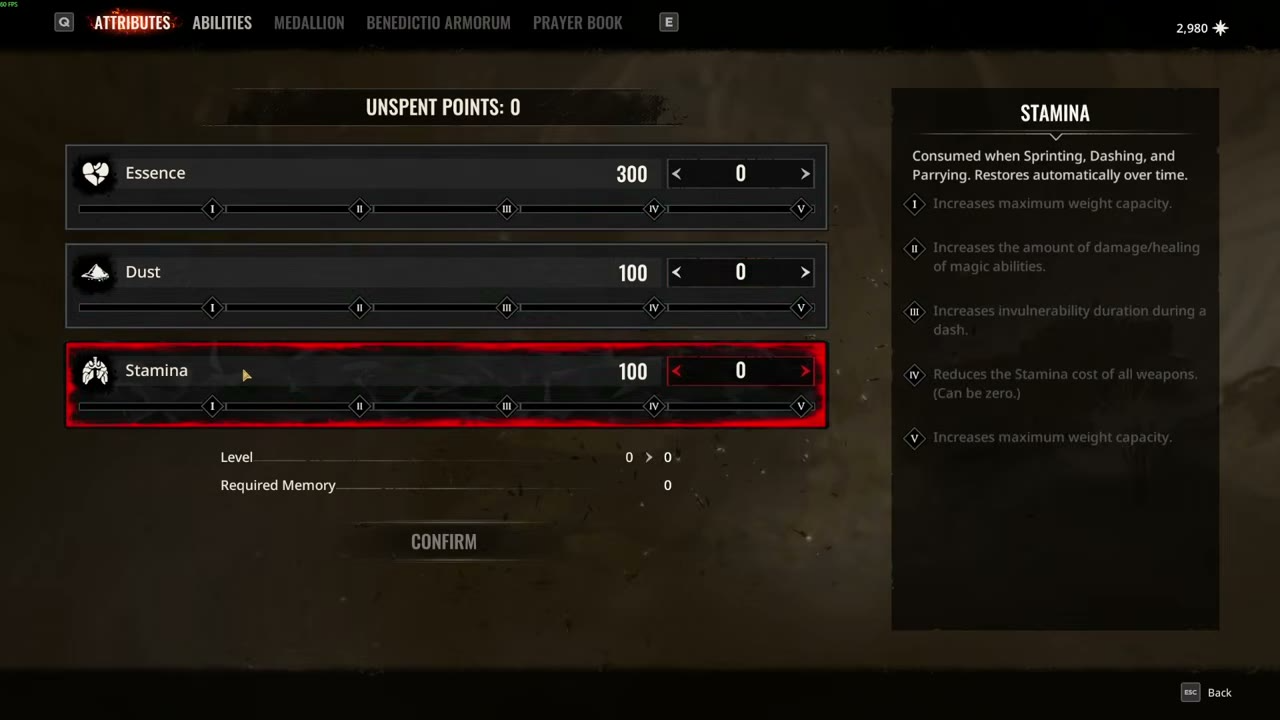
The Stamina panel shows milestone descriptions alongside unspent points.
Read the first and fifth Stamina milestones for their carry-weight effects.
Open image ↗
The Stamina panel shows milestone descriptions alongside unspent points.
Read the first and fifth Stamina milestones for their carry-weight effects.

Read the item and character displays

On the Duster’s item panel in the October demo, Weight 3 is the weight of that one item.
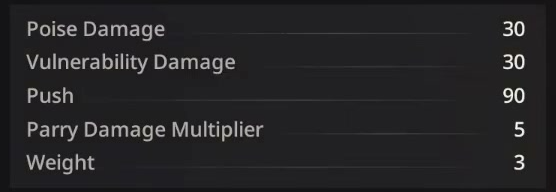
The last row of this group of Duster stats is Weight, with a value of 3.
On the Duster’s item panel, the Weight row reads 3.
Open image ↗
The last row of this group of Duster stats is Weight, with a value of 3.
On the Duster’s item panel, the Weight row reads 3.

In the November co-op preview, open Equipment and look for the KG icon on the right. One character’s readout shows 44.2 / 119. The Calamity Bedroll description says it increases maximum carried weight.
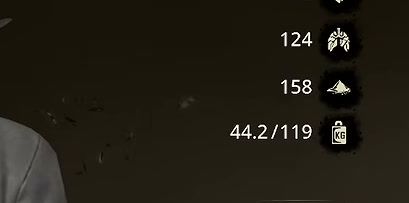
The equipment panel’s KG row shows 44.2 / 119.
In the November preview, the row beside the KG icon reads 44.2 / 119 for this character.
Open image ↗
The equipment panel’s KG row shows 44.2 / 119.
In the November preview, the row beside the KG icon reads 44.2 / 119 for this character.

If you’re over encumbered in the public demo, the Stamina screen is the place to check capacity upgrades. The public demo’s overload threshold and the steps to clear it are still unconfirmed. The preview character’s 119 is specific to that loadout.

Search