Assign special rounds to the bandolier
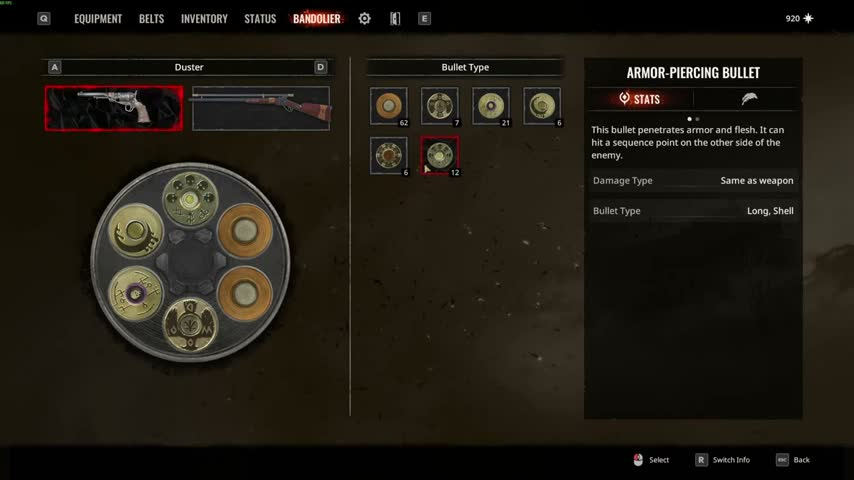
- Pick up special rounds and open Bandolier. The default keyboard shortcut is B. You can also select the tab at the top of the inventory.
- Choose the weapon you’re carrying. Under Bullet Type, select the special round, then place it in a specific slot on the wheel.
The Duster’s top slot changes from a plain round to a patterned one when the assignment takes effect.
- Close the menu and reload. Check the ammo wheel at the bottom right for the patterned rounds.
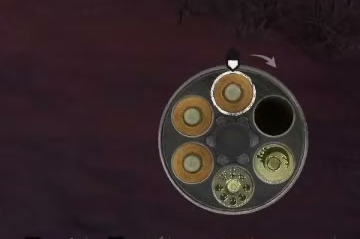
The November co-op preview also shows a hold R prompt for switching to assigned special ammunition. The October demo steps above cover assigning a round and checking the result.
Switch weapons and use a special
Equip more than one weapon, then press X to switch. Press Z for the current weapon’s special, including that of your starting weapon. Q activates Hunter’s Vision once you finish the tutorial.
Find the scoped rifle
In demo builds from Hotfix 2 onward, look for a loot orb near the first bonfire. It contains a scoped rifle. The original October 5 build predates this pickup.
Which weapons are in the demo?
| Weapon type | Demo examples |
|---|---|
| Shotguns | Unlikely Allies, Ogoun |
| Handguns | Duster, Red Dog, Slow Anger |
| Rifles | Reminiscence, Burden of Choice |
These seven examples are identifiable in the demo. The advertised over 20 weapons applies to the full game. The exact totals for the demo and the release build are still unknown.